Development capture · v1.49
Late light
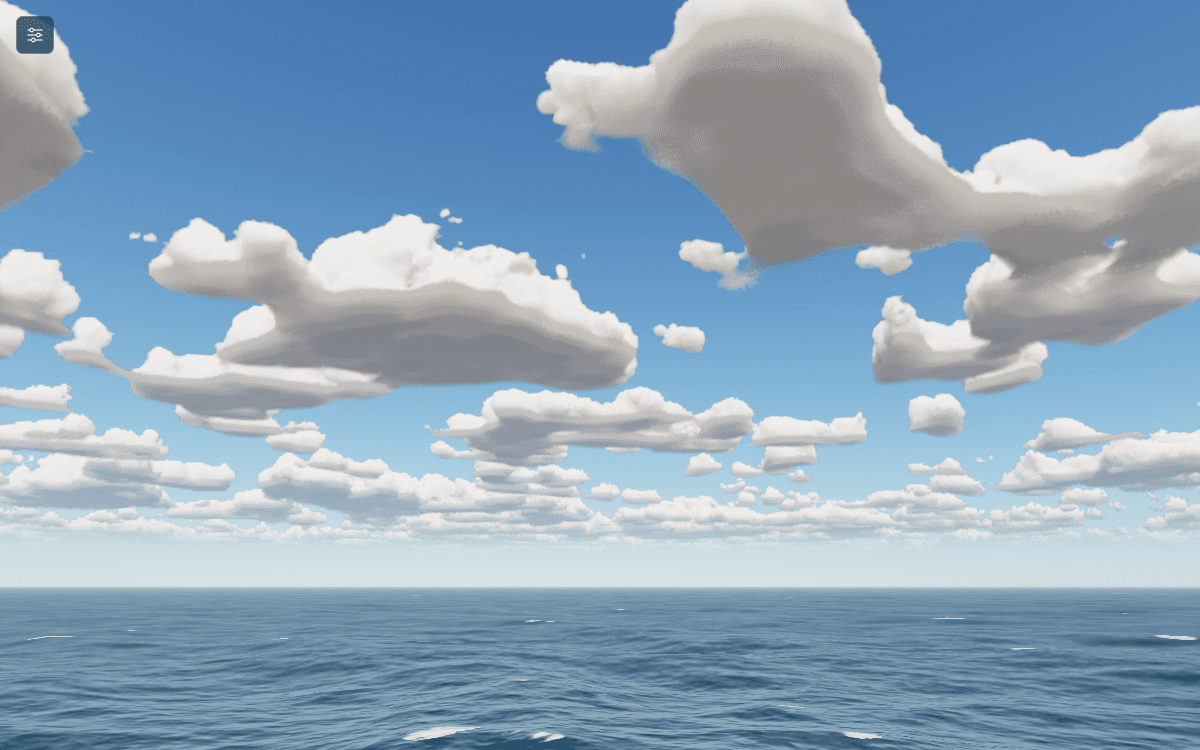
The light changes with the sun. The reflection on the water still uses a simpler cloud layer than the one visible overhead.

Loading your next stop
Graphics experiment · In progress
Flagship project
I can change the wind, wait for the waves, and watch the whole scene respond.
Development build
A browser experiment in waves, weather and light. I can move from a calm sea to a storm, change the time of day, and watch the water and sky respond. It is still a work in progress.
From the build
Captured from the v1.49 renderer during development.
Development capture · v1.49
The light changes with the sun. The reflection on the water still uses a simpler cloud layer than the one visible overhead.
Browser prototype
The deployed demo may differ from v1.49. It needs WebGL and is best tried with a keyboard and mouse. I still need to test mobile GPU performance.
Open the simulation ↗My part
This started with a scene I wanted to build and keep experimenting with. I chose how the water, weather and light should look, designed the controls, and wrote most of the code. I used AI for help working through implementation problems as I went.
I decide what feels right in the scene and what needs another pass. There is still plenty of that work left. Supplied models and other people's assets also need their own credits; the ocean experiment and the work around them are mine.
Starting point
Wind, swell, clouds and the time of day all change how the water looks. I wanted to be able to adjust them. Moving the camera down near the surface makes small problems much easier to spot.
I change one thing, look from another angle and see what no longer makes sense. A still image can hide foam that drifts off the water or a reflection that stops working when the camera moves.
Working build
I can start with Calm, Breeze, Rough or Storm, then change the wind, fetch, swell, water depth and crest sharpness. Long waves are calculated separately from the smaller waves, which use three GPU FFT layers. Devices without the required floating-point texture support get a simpler sea.
Rain, fog, cloud layers and a day and night cycle are in place. The Live weather mode lets conditions evolve inside the scene. It does not read a real forecast.
There are floating craft and a Liberty ship I can board, leave and walk around. They respond to the waves, but the ship has no engine or controllable course. I am showing water and sky here while I sort out the supplied model credits.
Controls
The settings are grouped by scene, sea, weather, sky, camera, sound and rendering quality. I can search for a control, type an exact value, reset a section or hide the whole panel. Settings are saved in the browser so I can return to them.
There are a lot of controls because I am still testing the renderer. The extra settings sit behind More sections. I want to keep that depth without making someone open every group just to change the wind.
Tradeoffs
When a device struggles, automatic quality can lower the resolution and simplify the clouds. The newer cloud work also spreads sky rendering over time, instead of calculating every cloud for every pixel on every frame.
That changes the picture as well as the performance. I do not have a frame rate I can promise across devices. The controls are built mainly for a keyboard and mouse, and I still need proper phone testing.
Still in progress
The breaking waves still bend as a surface instead of overturning. Foam and spray need better motion. The sky reflection is simpler than the clouds above it, and reflections around the craft are incomplete. I can see those gaps when I move through the scene.
Next I want to follow a crest as it breaks, watch where the foam goes, then turn toward the sun and compare the reflection with the sky. Those movements are where I need the pieces to agree.
Next
Tell me what you’re working on and what needs work.
Email meLet’s see if I’m the right person.
You don’t need to know exactly what you need. Tell me where you are, and I’ll help determine where I fit.
Curious how this was made?
Open the Hood ↗